> ## Documentation Index
> Fetch the complete documentation index at: https://docs.knowledgestack.ai/llms.txt
> Use this file to discover all available pages before exploring further.
# Knowledge Stack
> The foundational data layer for enterprise AI — ingest, organize, search, and chat over your documents through one API.
**Build production-ready AI agents in under 1 hour.** Knowledge Stack turns a pile of documents into an AI-ready knowledge base — drop in PDFs, DOCX, PPTX, Markdown, or plaintext and get back a hierarchical, multi-tenant, permission-aware corpus with semantic search, streaming chat, and workflow-driven ingestion behind a single REST API.
Five short videos — ingestion, agents, citations, RBAC.
30 minutes on your own corpus with a founding engineer.
First ingest + search call in under five minutes.
## Pick your client
`uv tool install kscli` — ingest, search, watch workflows from the terminal.
`pip install ksapi` · `npm install @knowledge-stack/ksapi` — fully typed.
Drop into LangGraph, Claude Desktop, Cursor, or any MCP-compatible host.
Runnable recipes — RAG, citations, bulk ingest, evals, agent workflows.
Every endpoint, request, and response — generated from `openapi.yaml`.
How ingestion, search, threads, and Temporal fit together.
## Install in 30 seconds
```bash CLI theme={null}
uv tool install kscli
kscli login --api-key sk-user-...
```
```bash Python theme={null}
pip install ksapi
```
```bash TypeScript theme={null}
npm install @knowledge-stack/ksapi
```
```bash MCP theme={null}
uv tool install ks-mcp
```
## Your first call
Ingest a document and run a semantic search. Pick your tool — every example targets the same endpoints.
```bash kscli theme={null}
kscli documents ingest --file report.pdf --path-part-id
kscli chunks search --query "key findings" --limit 5
```
```python Python theme={null}
from ksapi import KSApi
ks = KSApi(api_key="sk-user-...")
ks.documents.ingest(file=open("report.pdf", "rb"), parent_path_part_id="...")
hits = ks.chunks.search(query="key findings", top_k=5)
for h in hits:
print(f"[{h.score:.2f}] {h.content[:120]}")
```
```typescript TypeScript theme={null}
import { KSApi } from "@knowledge-stack/ksapi";
const ks = new KSApi({ apiKey: "sk-user-..." });
await ks.documents.ingest({
file: fs.createReadStream("report.pdf"),
parentPathPartId: "...",
});
const hits = await ks.chunks.search({ query: "key findings", topK: 5 });
hits.forEach((h) => console.log(`[${h.score.toFixed(2)}] ${h.content.slice(0, 120)}`));
```
```bash curl theme={null}
curl -X POST https://api.knowledgestack.ai/v1/documents/ingest \
-H "Authorization: Bearer sk-user-..." \
-F "file=@report.pdf" \
-F "parent_path_part_id="
curl -X POST https://api.knowledgestack.ai/v1/chunks/search \
-H "Authorization: Bearer sk-user-..." \
-H "Content-Type: application/json" \
-d '{"query": "key findings", "top_k": 5}'
```
## What you can build
| Use case | Building blocks |
| ------------------------------------------- | -------------------------------------------------------------------------- |
| **AI search across thousands of documents** | `/v1/documents/ingest` → `/v1/chunks/search` (dense, full-text, or hybrid) |
| **Document Q\&A with cited answers** | `/v1/threads` + `/v1/threads/{id}/stream` (SSE, document-anchored) |
| **Multi-tenant SaaS knowledge bases** | Tenant isolation, three roles (Owner / Admin / User), path-level grants |
| **Internal RAG agents** | MCP server plus `ks-cookbook` recipes for LangGraph, OpenAI Agents, CrewAI |
| **Bulk ingestion pipelines** | `kscli folders bulk-ingest` + Temporal-backed background workflows |
## See it in action
Knowledge Stack ships a reference workspace UI so your team (and your customers) can ingest, search, and chat without writing a single line of frontend code.
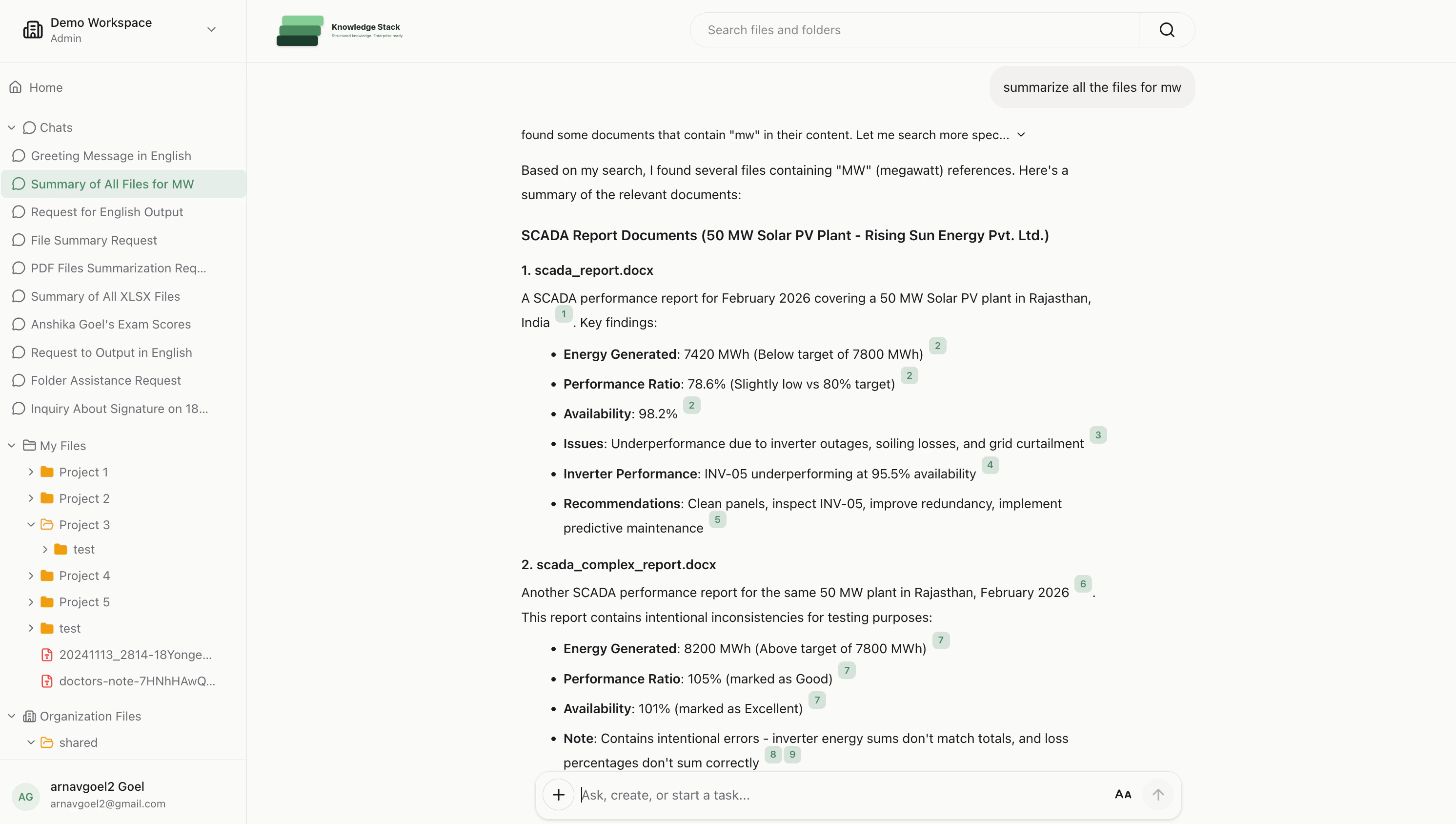
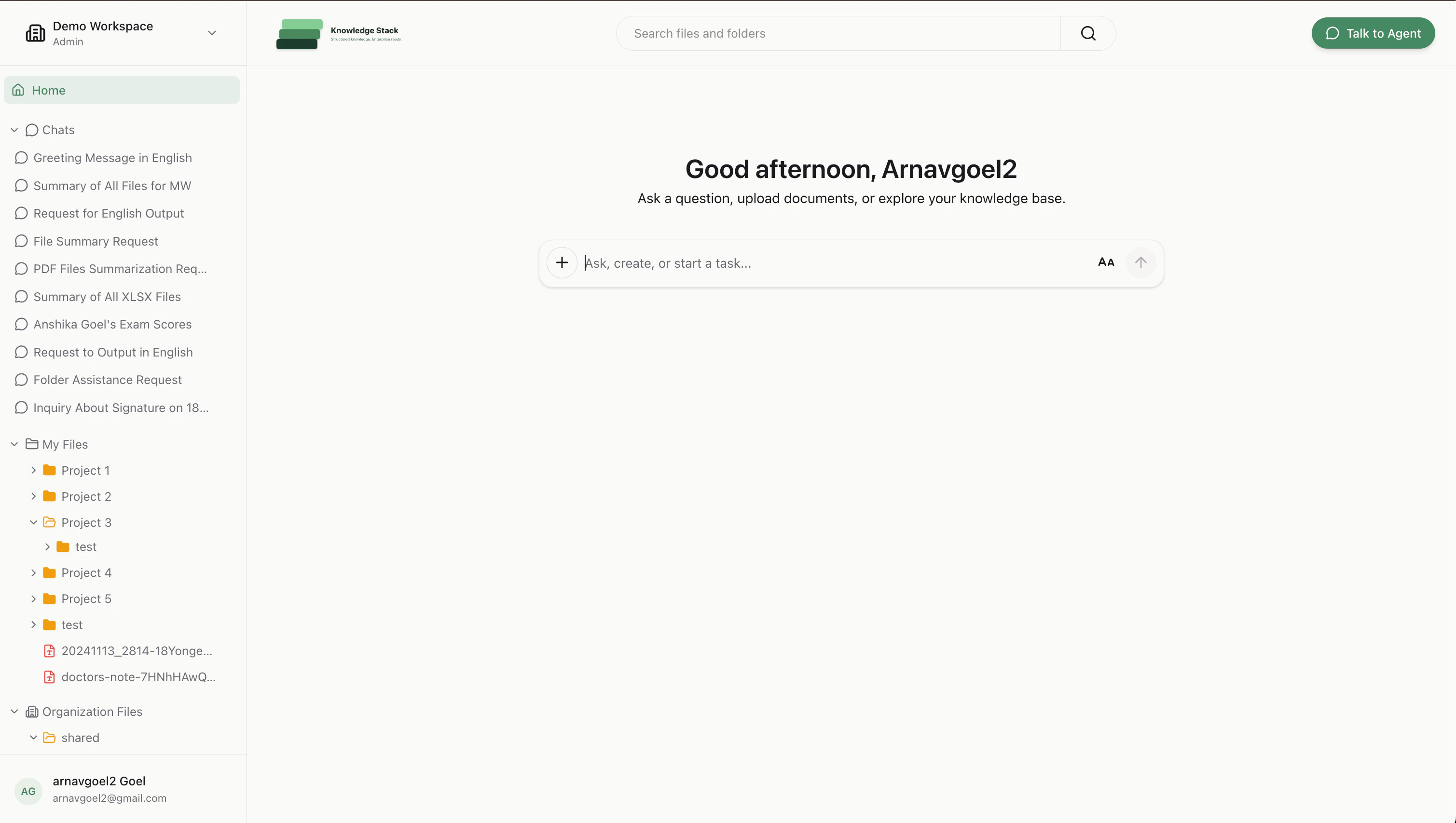 Built-in **citations** are a core primitive — not a bolt-on. See the [Citations guide](/citations) for the SSE event shape, how to render badges, and how to resolve a citation back to its bounding box on the PDF.
## How the system fits together
```
┌──────────┐ upload ┌──────────────┐ chunks ┌────────────┐
│ Client │ ─────────► │ /documents │ ──────────► │ Temporal │
└──────────┘ └──────────────┘ │ worker │
▲ └─────┬──────┘
│ search / chat / stream │ embed
│ ▼
┌──────────────┐ rank/filter ┌──────────────┐ ┌──────────┐
│ /chunks/ │ ◄──────────────── │ Postgres │ │ Qdrant │
│ search │ │ (metadata) │ │ (vectors)│
└──────────────┘ └──────────────┘ └──────────┘
```
Read the full picture in [Architecture](/architecture). Key concepts: the [path system](/path-system) (everything is a node in a Unix-style tree), [authentication](/authentication) (cookie or API key), and [authorization](/authorization) (path-level grants).
## Where to next
First ingest + search
System overview
How content is organized
Conversion, chunking, embedding
Dense, full-text, hybrid
Chat with citations
***
## Talk to us
Walk through Knowledge Stack on your own data with a founding engineer.
Pricing, enterprise SSO, on-prem, and procurement questions.
Built-in **citations** are a core primitive — not a bolt-on. See the [Citations guide](/citations) for the SSE event shape, how to render badges, and how to resolve a citation back to its bounding box on the PDF.
## How the system fits together
```
┌──────────┐ upload ┌──────────────┐ chunks ┌────────────┐
│ Client │ ─────────► │ /documents │ ──────────► │ Temporal │
└──────────┘ └──────────────┘ │ worker │
▲ └─────┬──────┘
│ search / chat / stream │ embed
│ ▼
┌──────────────┐ rank/filter ┌──────────────┐ ┌──────────┐
│ /chunks/ │ ◄──────────────── │ Postgres │ │ Qdrant │
│ search │ │ (metadata) │ │ (vectors)│
└──────────────┘ └──────────────┘ └──────────┘
```
Read the full picture in [Architecture](/architecture). Key concepts: the [path system](/path-system) (everything is a node in a Unix-style tree), [authentication](/authentication) (cookie or API key), and [authorization](/authorization) (path-level grants).
## Where to next
First ingest + search
System overview
How content is organized
Conversion, chunking, embedding
Dense, full-text, hybrid
Chat with citations
***
## Talk to us
Walk through Knowledge Stack on your own data with a founding engineer.
Pricing, enterprise SSO, on-prem, and procurement questions.